You bring the idea and make the choices. The Studio does the writing, casting, drawing and filming, and asks before anything costs money. Here is every step.
Type one line, paste a full script, or drop in a video, photos or a clip. If you only have a spark, the idea coach offers three stronger versions of it, and you pick the one you like. If you paste a script, it stays your script: the Studio does not rewrite it.
One sentence is enough
A pasted script is kept as written
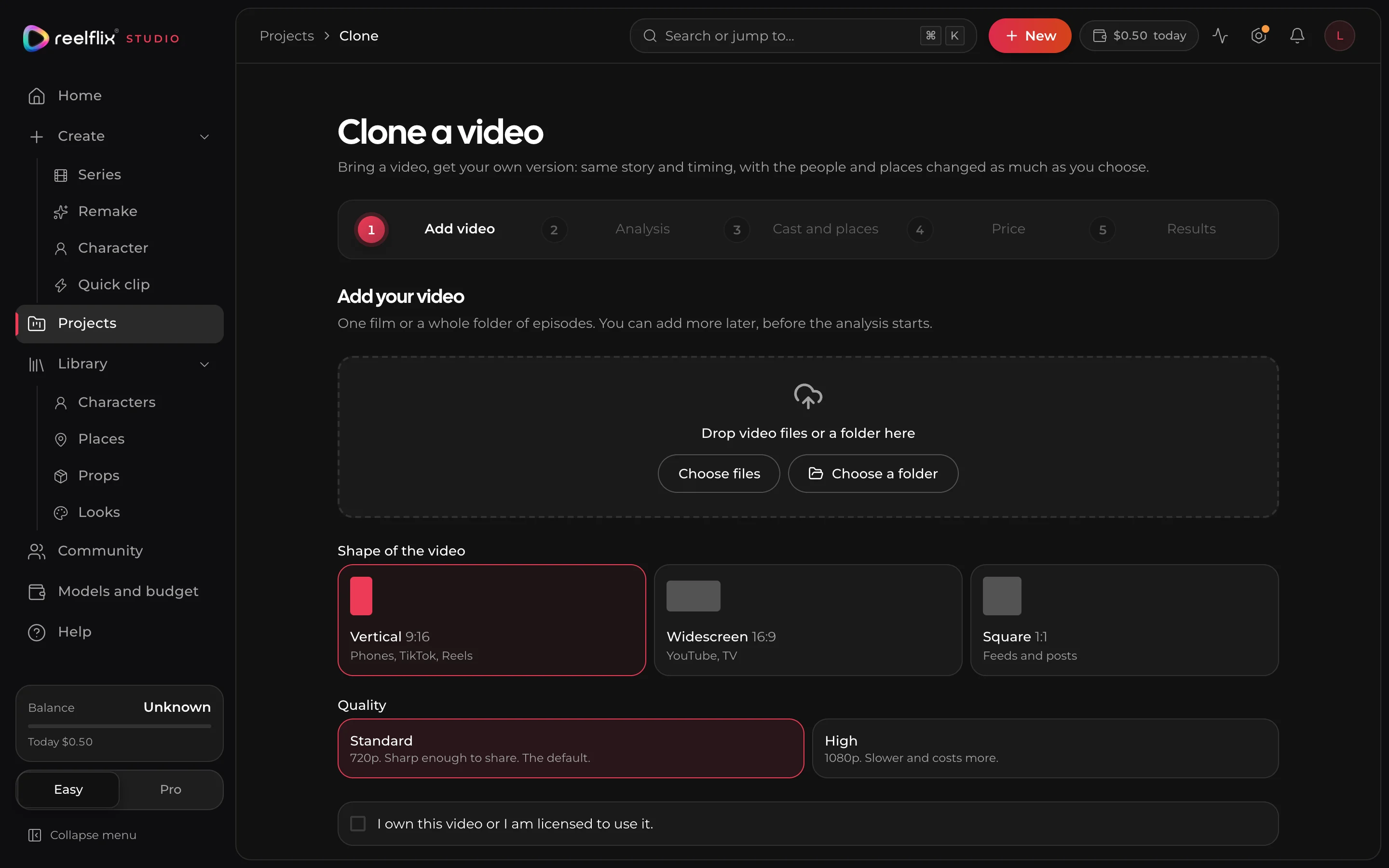
Remake a video you own
02
Models
Choose your models
ReelFlix Studio works with the writing, picture, video, voice and music models creators already use. You choose them, with your own accounts and keys. Nothing is swapped in behind your back, and nothing runs until you have chosen.
You pick every model
Your keys, your accounts
A limit for every run
03
Cast
Meet the cast
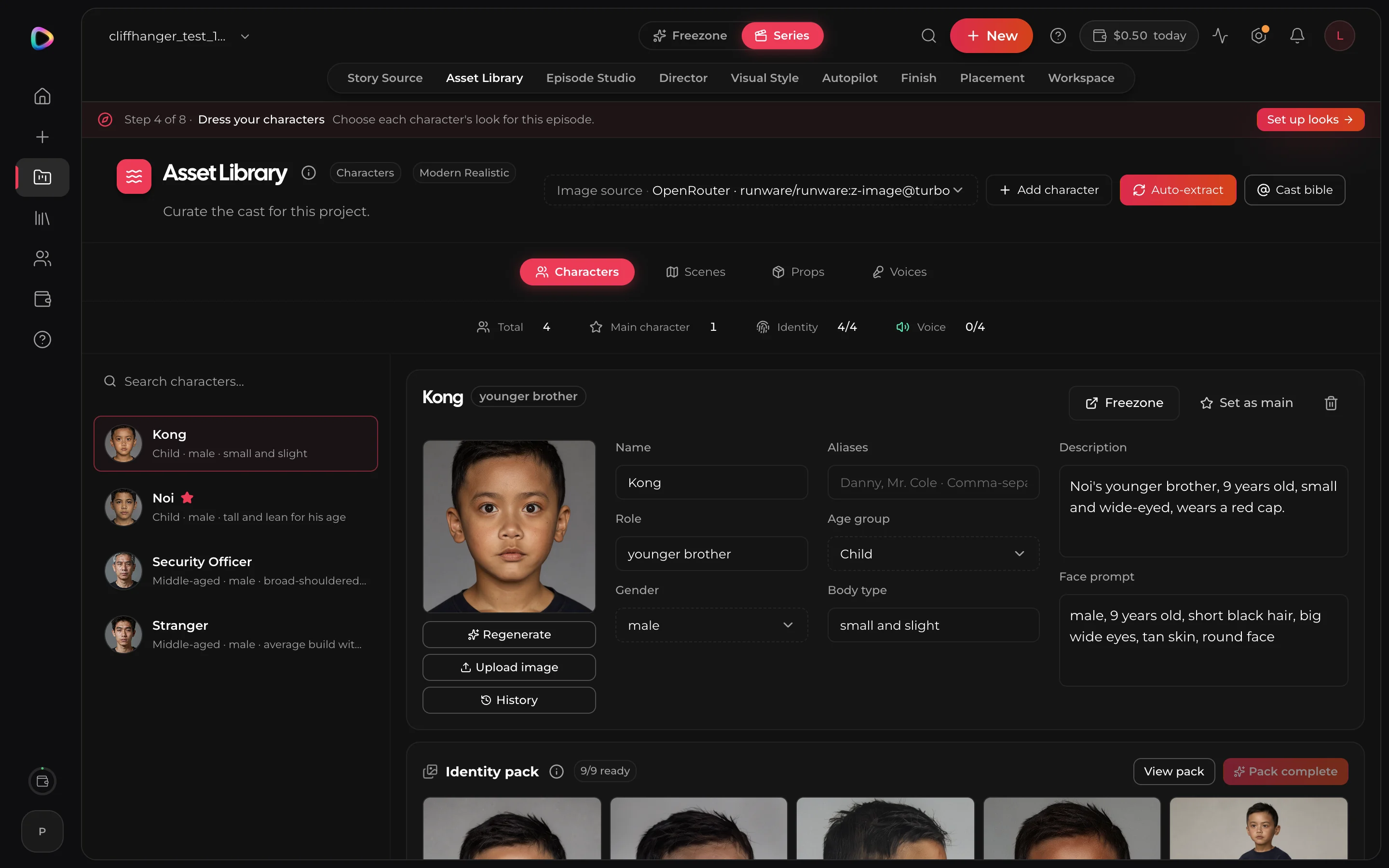
The Studio reads the story and plans who is in it: the leads, the supporting roles and the extras. It draws each person from their own description, writes one exact outfit for the story's year, and builds an identity pack so the same face and the same clothes come back in every shot. You approve the cast before anything else is made.
Same face in every shot
One outfit, locked
You approve the cast
04
Look
Set the look
Pick a style in one tap, or go deeper: the film stock, the pace, the cuts, the directors you want to be inspired by. Vertical 9:16 is the default, because that is where most series are watched, and wide 16:9 is one switch away.
One-tap looks
9:16 by default
Signature moves from film language
05
Frames
See the price, then see the key frames
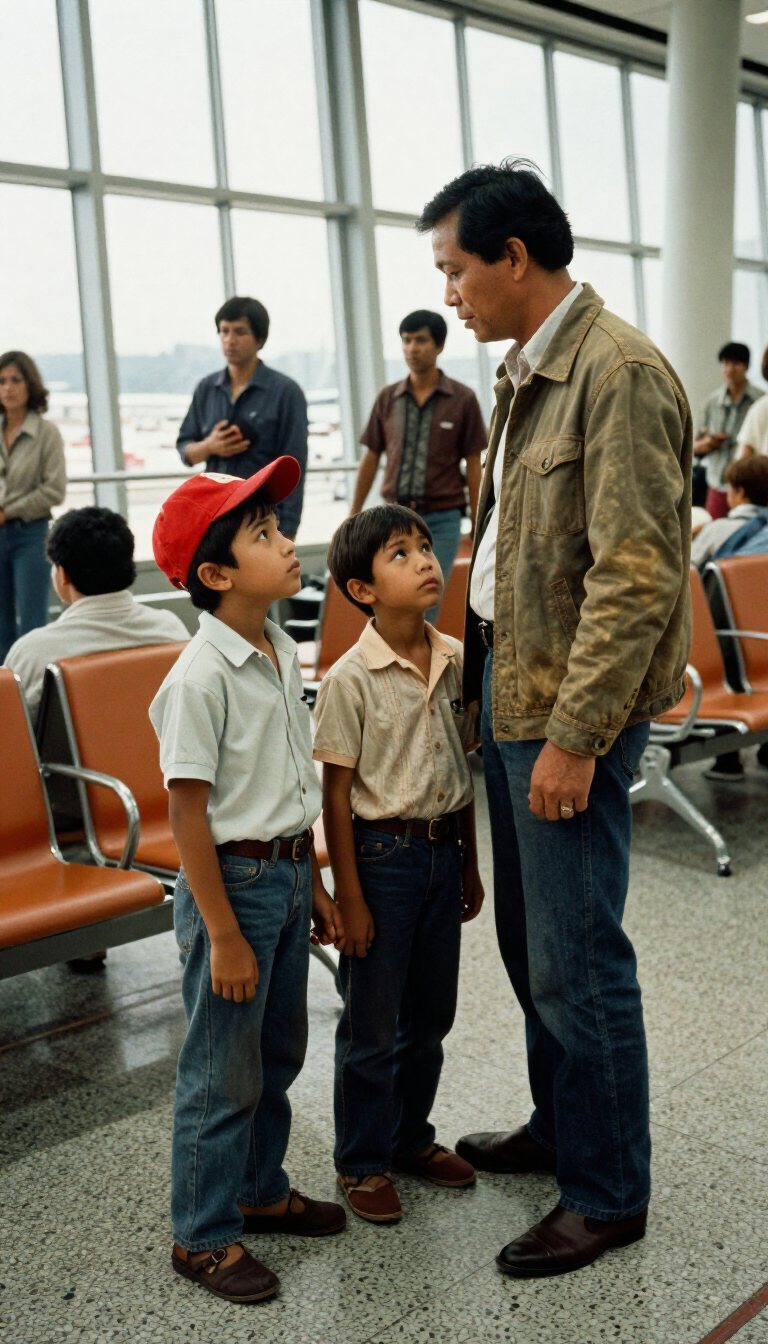
Before a single paid step, the Studio shows a price. Then it writes each episode with a hook, a conflict and a cliffhanger, and draws the key frames as real photographs. Filming only starts after you have looked at those frames and said yes. Not happy with one? Say what to change, in plain words.
A price before every step
Hook, conflict, cliffhanger
Filming waits for your OK
06
Film
Film the episodes
Each key frame becomes a short clip on the video model you chose, with the voices, the music and the sound laid over it, then cut together into the episode. Every paid call has a cap, so a bad take cannot become a big bill, and every clip is kept so you can go back to an earlier take.
Short clips, with retakes
Voices, music and sound
A cap on every call
07
Finish
Keep going, until it is finished
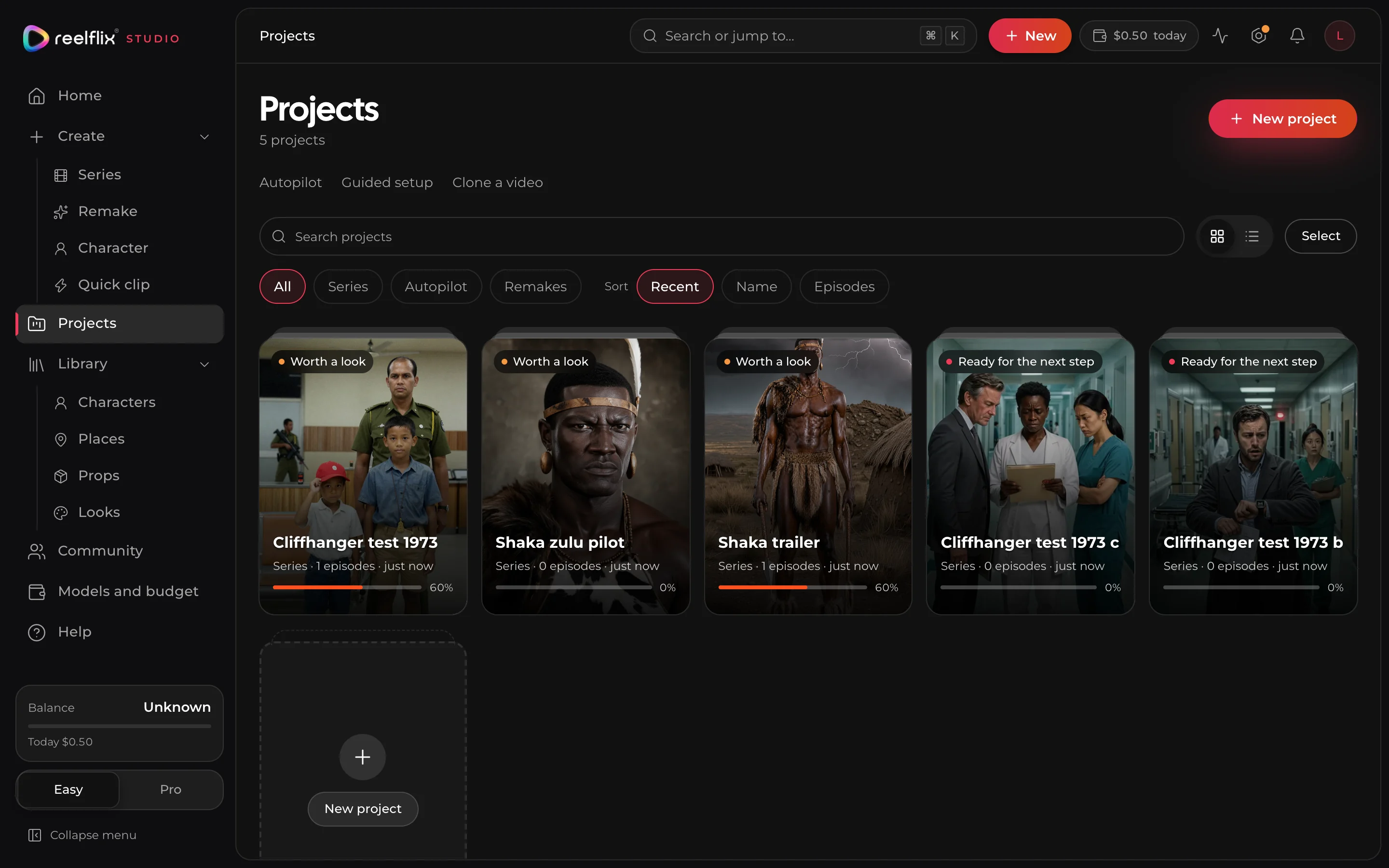
Open the series and you see what is done and what is next. Redo one shot with a note, upgrade an episode to final quality, or continue the series: the Studio remembers the story so far, the characters and the open threads, so episode 40 still knows what happened in episode 3. When you are done, export.
Redo any shot
A series memory that keeps continuity
Export when you are ready
You stay in control.
The Studio is built so a long series cannot run away from you.
1
Two moments that need your OK
You approve the cast, then you approve the key frames. Nothing is filmed until you say so.
2
A price before you pay
Every run shows its estimate first, has its own limit, and stops with a clear message rather than carrying on past it.
3
Only the models you chose
Pictures, video, voice and music come from the models you selected. There is no hidden fallback to something more expensive.
4
Your story stays yours
Your ideas and scripts are yours, and your projects go only to the providers you pick, under your own accounts.
Easy mode or Pro mode.
Same Studio, same result. Switch any time; nothing is lost when you do.
Easy mode · the default
Paste an idea. The Studio does the rest.
A short guided path: idea, cast, look, price, go. You see the choices that matter and nothing else, and you get consistent episodes at the end.
Pro mode · full control
Every tool, every shot.
Open the asset library, the episode studio, the visual style, the director and the editor. Change a character, rewrite a shot, choose a different take. Everything Easy mode makes can be opened and edited here.
A 60-episode series is typically about 8 hours of Studio time, most of it running by itself. You are needed at the two approval points and whenever you want to change something.
What does it cost?
You pay the model providers' own prices, and the Studio shows the total before it runs. A whole 60-episode series is about $500 to $1,000. See pricing for the full comparison.
Will the same character look the same in every episode?
Yes, that is what the cast step is for. Each character has an identity pack and one locked outfit, and every picture is drawn from them.
Can I use my own script?
Yes. Paste it and it stays as you wrote it. The Studio plans the cast, the pictures and the filming around it.
Do I have to use Easy mode?
No. Easy and Pro are both always there, and you can switch at any moment. Pro mode opens every tool for people who want to direct each shot.